

Common Questions
Frequently Asked Questionsthen contact our support service
Questions
I haven't received the email with the download link. How can I get it?
I don't have a credit card, how can I pay ? Are there alternative payment options?
I'm getting this error message "It not possible to create data structure.". What is wrong?
Can I pay using my credit card ?
Are these extensions MAC compatible ?
I'm getting this error: "TypeError: THE_DOM has no properties" . There is a workaround?
Answers
http://www.adobe.com/exchange/em_download/
I haven't received the email with the download link. How can I get it?
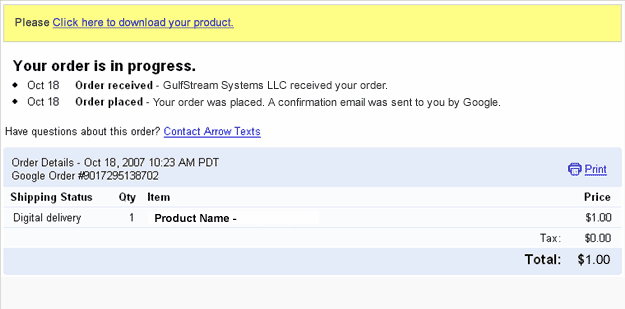
After accessing that link you will get a copy of the product and a copy of the download link will be sent to your email address. Please be sure to check your spam/bulk mail folder if you don't see the email into your inbox.
I don't have a credit card, how can I pay ? Are there alternative payment options?
If you can't create a Paypal account, then you can use Moneybookers that accepts customers from a wide range of countries.
1- You can use it on all your computers.
2- You can use the extension on as many websites as you want (no limit), this includes your own websites and websites created by you for other pleople.
3- You can't redistribute the extension.
4- You can't rebrand the product.
I'm getting this error message "It not possible to create data structure.". What is wrong?
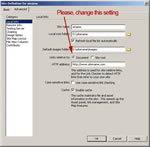 Please, change the "Links relative to" setting in Dreamweaver(8 or later). See the image for details.
If this setting does not solve the problem, then follow these steps:
- Restart Dreamweaver
- Be sure that you have a local web site defined in Dreamweaver
- Open the page where you want to insert the extension(this page must be saved previously into your web site)
- Try to insert the extension again
Can I pay using my credit card ?
On the other hand, MoneyBookers accepts credit cards when uploading funds to your own MoneyBookers account.
Are these extensions MAC compatible ?
The only exception is TSMerlin, which is compatible with Dreamweaver in MAC but not with the MAC browsers.
If you are testing your page directly from your local hard disk in IE 7, this message appears:
"To help protect your security, Internet Explorer has restricted this webpage from running scripts or ActiveX controls that could access your computer. Click here for options."
In IE 7 this message appears when you test a web page that contains a script or Flash item directly form your local hard disk. When you upload your page to an online web server that message does not appear.
The address from a web server must start with http:// or https:// . On the other hand if the address start with C:\ or file:// then you are testing it from your local hard disk.
Just upload your web page to your web site and you will see that the error disappears.
I'm getting this error: "TypeError: THE_DOM has no properties" . There is a workaround?
- Check if you have defined a local web site at dreamweaver.
- Check if you have saved the page into your local web site.
- If you are using Dreamweaver templates, check if your templates allow an "Editable Region" in the <HEAD> section of the HTML code.
- Mark the "Use case-sensitive link checking" option in the site settings and recreate your site cache.
- After these checks, please restart your Dreamweaver and try again.