

Feedback Form: ColdFusion version
A Dreamweaver™ ExtensionDW 8, CS3, CS4, CS5, CS6 or later versions
Demo
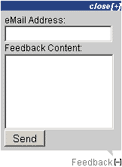 A feedback sample can be found on this page, look at the right - bottom corner of this window the link "Feedback [+]". Roll over the link and you will see the contact form. You can send us a message from the feedback form without reloading the page.
Note: This feedback creates a link in the right-bottom corner of the browser window that opens a floating panel with the feedback form (exactly like the sample in this page). Note that this tool doesn't create a classic contact form in the middle of your page. If you are looking for a product for classic contact forms then take a look to this PHP Form to Email Dreamweaver extension.
 In our FAQ you will see details about the CSS styles to customize the size and colors.
Features
- Inserts a feedback mechanism capable of sending messages to the webmaster or the website owner
- The message is sent witout reloading the page
- You can show your contact form in all pages without wasting space
- Original and attractive feature
- Transparent use of modern technologies (Ajax and advanced scripting)
- No programming skills required
- Compatible with most browsers, both PC and Mac
Fast Tutorial
Video tutorial: Feedback
Read more in the Feedback Form: ColdFusion version - Frequently Asked Questions.
Installation
Restart Dreamweaver™
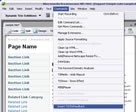
Go to Commands => Insert TSCfmFeedback
Tips
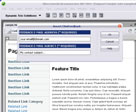
Before inserting TSCfmFeedback, save your webpage. Insert TSCfmFeedback and a configuration dialog will open up. You will be able to adapt your TSCfmFeedback to match your website’s needs:
- Feedback E-mail Address: Required Field. The feedback emails will be sent to this address. An error message will appear if you enter an invalid address, or use an invalid format.
- Feedback E-mail Subject: Required Field. It will be shown in the subject field of every feedback e-mail sent. We recommend that you select a subject line that would help you identify the website and the feedback messages, especially if you use the same mailbox for other purposes. Example: “Feedback from MySite.com”
In Dreamweaver, the Document Type Definition should be specified for the extension to work properly. In Dreamweaver, define ColdFusion as your server model. You can read more about this on our FAQ.Instant Download
|
Preferred payment & download method:
|
|
| Paypal or Credit Cards: |
PRICE
After payment you will be redirected to a direct-download page and the download link will be emailed to the payment address.
USD $9.90 |